Top 20 Great WordPress Themes for Beginners and Intermediate Users
WTWP Team XUpdated October 202612 min read
The right theme makes WordPress easy to learn and pleasant to run. The best picks for beginners and intermediate users are fast, flexible, and well supported, with starter templates so you aren't staring at a blank page. Here are twenty great WordPress themes, grouped by free lightweight, premium multipurpose, and niche picks. Free or premium? For most people a free theme is plenty, and the list below shows why.
Updated 21 October 2026: we installed every free theme on this list on WordPress 7.1.3, took our own screenshots and measured each default homepage. The five premium themes are marked as not tested, because we only measure what we can install from WordPress.org.
Popular, fast and beginner friendly, with a big library of free starter templates. Don't know where to start? It's the safe default for almost any site.
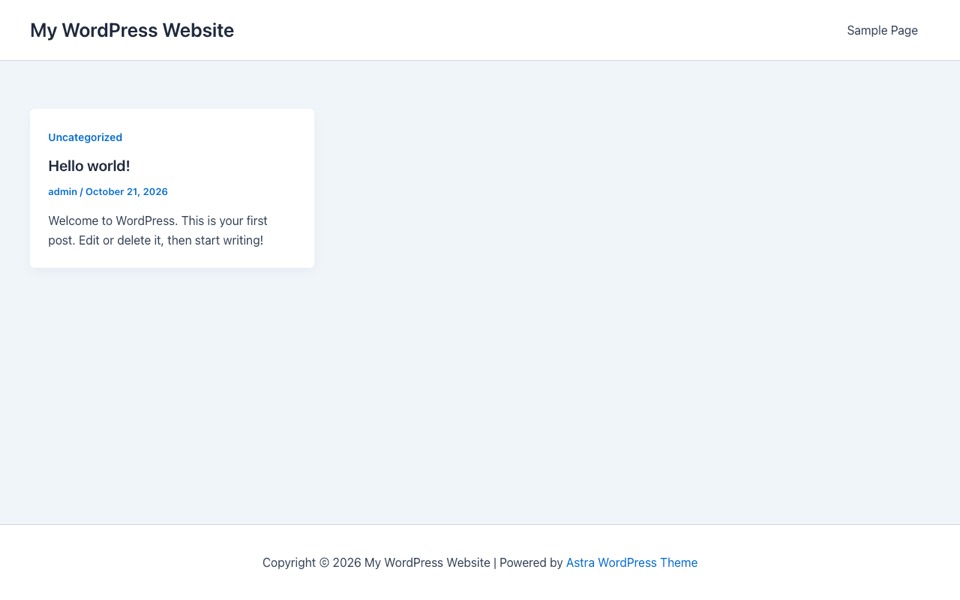
Astra out of the box on our test site, no settings changed.
Our test (WordPress 7.1.3): 8 requests and 200 KB on a fresh homepage, with 44 KB of CSS and 48 KB of JavaScript. That's with no setup at all. Astra on WordPress.org: version 4.14.1, 1,000,000+ active installs, rated 4.9 out of 5, last updated October 2026, needs PHP 5.3 or newer.
2. GeneratePress
Small, clean and loved for performance. It was the lightest full featured theme in our test, which makes it a solid base when page speed matters.
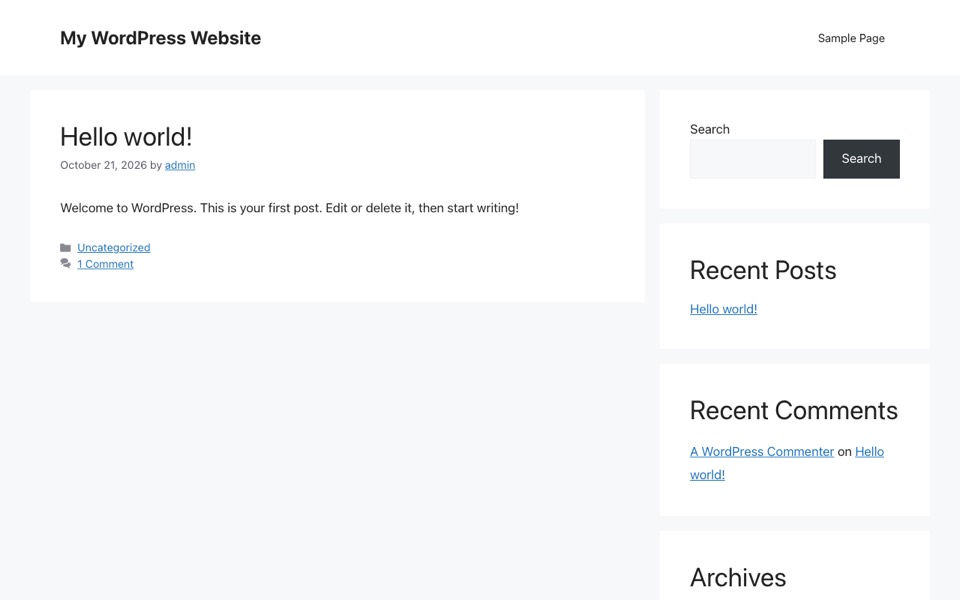
GeneratePress out of the box on our test site, no settings changed.
Our test (WordPress 7.1.3): 8 requests and 99 KB on a fresh homepage, with 19 KB of CSS and 29 KB of JavaScript. That's with no setup at all. GeneratePress on WordPress.org: version 3.6.1, 500,000+ active installs, rated 4.9 out of 5, last updated December 2025, needs PHP 7.4 or newer.
3. OceanWP
Very flexible and multipurpose, with lots of options in the free version and strong page builder support. It's also one of the heaviest themes we measured, so budget for caching.
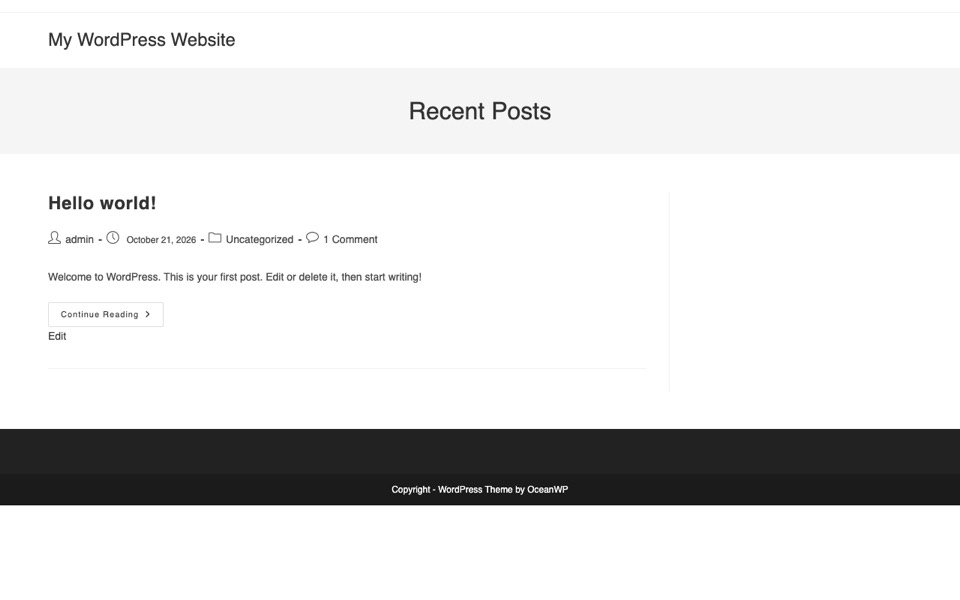
OceanWP out of the box on our test site, no settings changed.
Our test (WordPress 7.1.3): 25 requests and 803 KB on a fresh homepage, with 291 KB of CSS and 282 KB of JavaScript plus 184 KB of fonts. That's with no setup at all. OceanWP on WordPress.org: version 4.2.7, 400,000+ active installs, rated 4.9 out of 5, last updated October 2026, needs PHP 7.4 or newer.
4. Neve
Light and mobile first, with Elementor ready starter sites. You'll launch quickly and it's easy to customize.
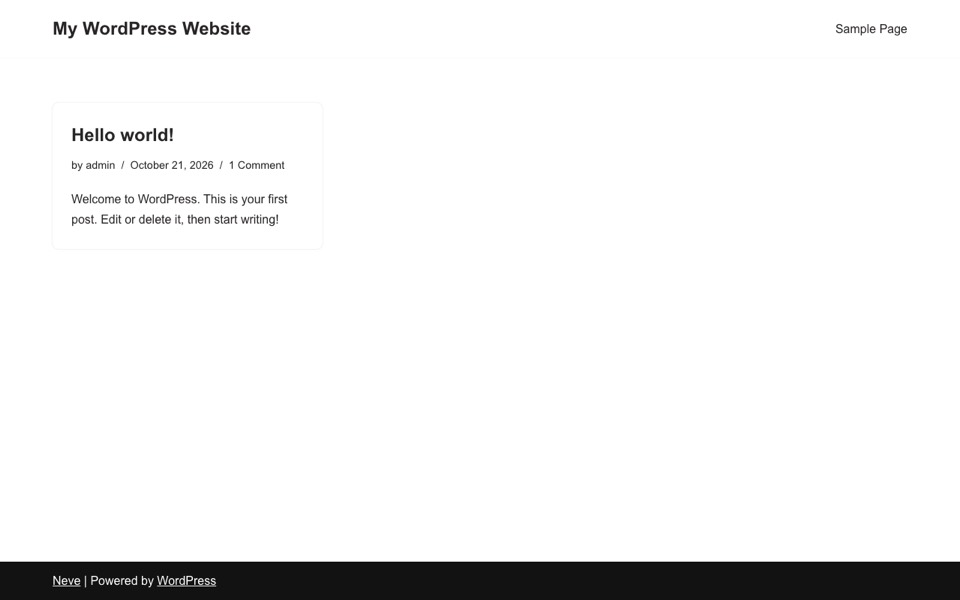
Neve out of the box on our test site, no settings changed.
Our test (WordPress 7.1.3): 9 requests and 124 KB on a fresh homepage, with 39 KB of CSS and 32 KB of JavaScript. That's with no setup at all. Neve on WordPress.org: version 4.2.16, 200,000+ active installs, rated 4.7 out of 5, last updated October 2026, needs PHP 7.0 or newer.
5. Kadence
A fast core, a proper header and footer builder and good default styling. It works with both Elementor and the block editor, so it won't box you in.
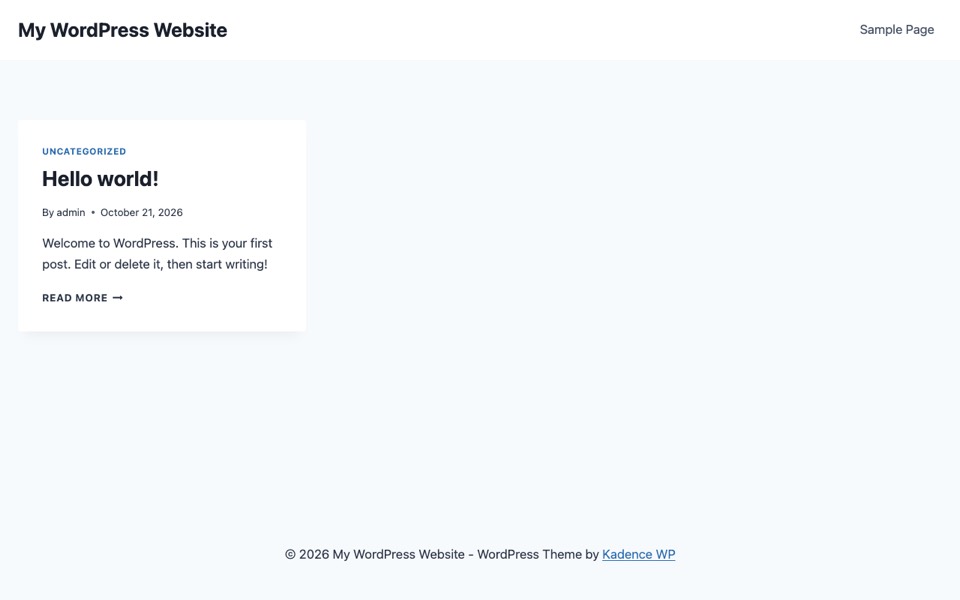
Kadence out of the box on our test site, no settings changed.
Our test (WordPress 7.1.3): 11 requests and 199 KB on a fresh homepage, with 105 KB of CSS and 44 KB of JavaScript. That's with no setup at all. Kadence on WordPress.org: version 1.5.2, 500,000+ active installs, rated 4.9 out of 5, last updated July 2026, needs PHP 7.4 or newer.
6. Blocksy
A modern theme with a generous free tier and live customizer options. It's fast, pleasant to set up and actively maintained.
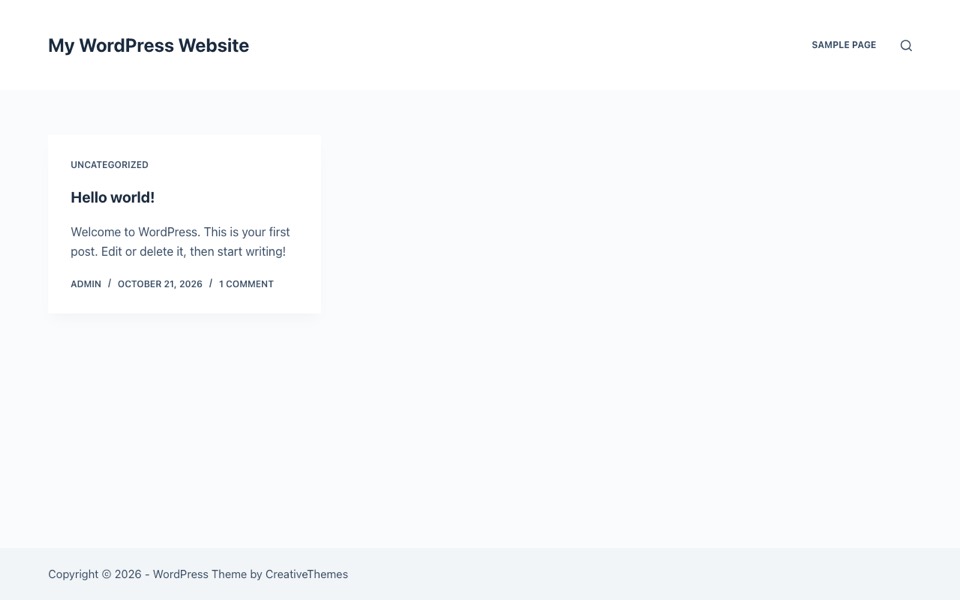
Blocksy out of the box on our test site, no settings changed.
Our test (WordPress 7.1.3): 8 requests and 186 KB on a fresh homepage, with 103 KB of CSS and 30 KB of JavaScript. That's with no setup at all. Blocksy on WordPress.org: version 2.1.60, 300,000+ active installs, rated 5.0 out of 5, last updated October 2026, needs PHP 7.0 or newer.
7. Hello Elementor
The official ultra light base theme for Elementor. Why is it so small? It has almost no styling of its own, so it's a clean canvas for the builder and not much else.
Hello Elementor out of the box on our test site, no settings changed.
Our test (WordPress 7.1.3): 9 requests and 66 KB on a fresh homepage, with 19 KB of CSS and 22 KB of JavaScript. That's with no setup at all. Hello Elementor on WordPress.org: version 3.5.1, 1,000,000+ active installs, rated 4.2 out of 5, last updated August 2026, needs PHP 7.4 or newer.
8. Hestia
A clean, material inspired theme that suits one page sites and small businesses with little setup. It's a bit heavier on CSS than the leanest options.
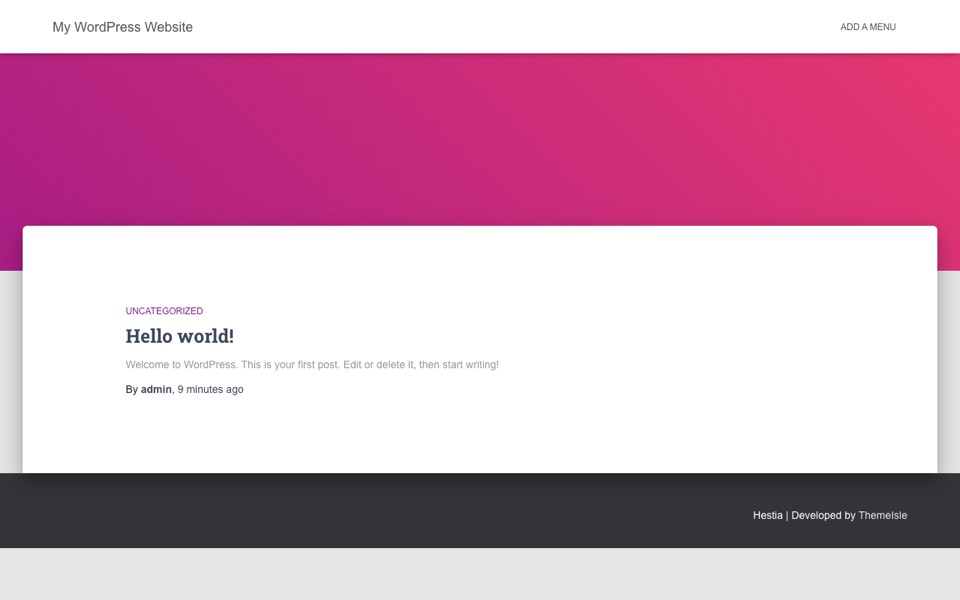
Hestia out of the box on our test site, no settings changed.
Our test (WordPress 7.1.3): 16 requests and 509 KB on a fresh homepage, with 253 KB of CSS and 183 KB of JavaScript plus 33 KB of fonts. That's with no setup at all. Hestia on WordPress.org: version 3.3.8, 70,000+ active installs, rated 4.8 out of 5, last updated October 2026, needs PHP 5.4.0 or newer.
9. Zakra
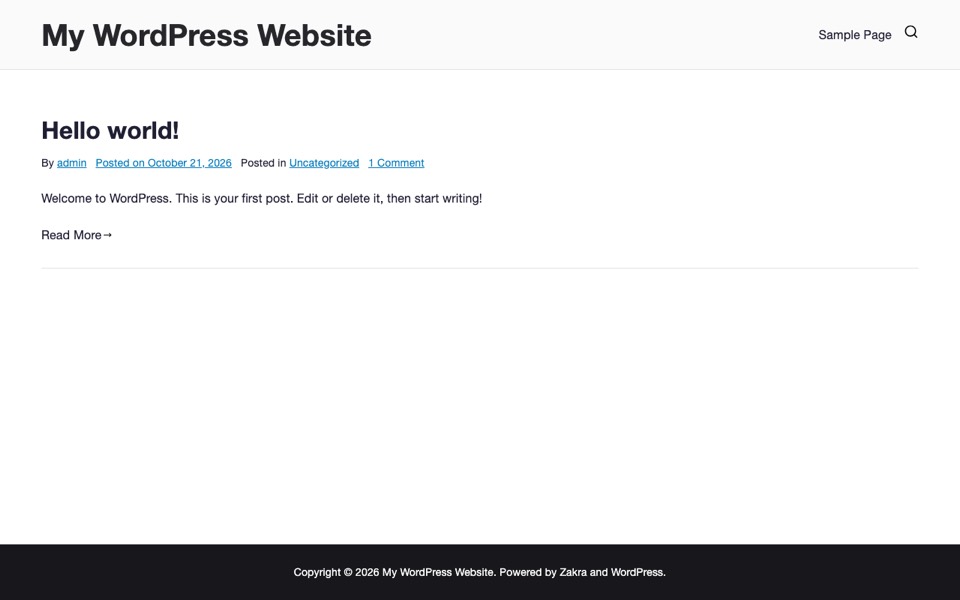
Ships with lots of free starter demos across niches, all builder compatible. It's a quick way to launch a themed site.
Zakra out of the box on our test site, no settings changed.
Our test (WordPress 7.1.3): 11 requests and 284 KB on a fresh homepage, with 213 KB of CSS and 34 KB of JavaScript. That's with no setup at all. Zakra on WordPress.org: version 4.3.3, 30,000+ active installs, rated 4.9 out of 5, last updated September 2026, needs PHP 7.4 or newer.
10. Sydney
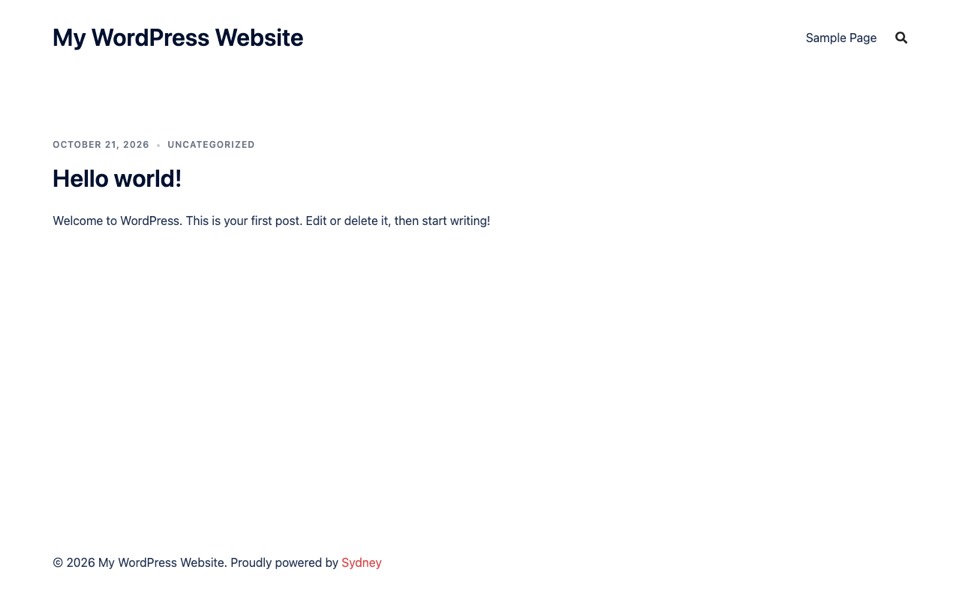
Built for business and corporate sites, with full screen headers and builder friendly layouts in the free version. It loaded very little JavaScript in our test.
Sydney out of the box on our test site, no settings changed.
Our test (WordPress 7.1.3): 9 requests and 230 KB on a fresh homepage, with 81 KB of CSS and 15 KB of JavaScript. That's with no setup at all. Sydney on WordPress.org: version 2.72, 80,000+ active installs, rated 4.9 out of 5, last updated October 2026, needs PHP 7.2 or newer.
Premium multipurpose themes
11. Divi
A well known premium theme and builder with a huge template library. It's powerful, but there's a real learning curve if you're new to WordPress.
Not tested: it's a premium theme, and we only measure themes we can install from WordPress.org. See our testing method.
12. Avada
A best selling multipurpose theme with its own builder and lots of prebuilt websites. It suits agencies and complex sites more than a first project.
Not tested: it's a premium theme, and we only measure themes we can install from WordPress.org. See our testing method.
13. Total
A flexible multipurpose theme built around drag and drop, with many demos and deep customization. Want lots of control without a separate builder? It's worth a look.
Not tested: it's a premium theme, and we only measure themes we can install from WordPress.org. See our testing method.
14. BeTheme
Known for its very large set of prebuilt sites across industries, so you can start close to a finished design and change the details.
Not tested: it's a premium theme, and we only measure themes we can install from WordPress.org. See our testing method.
15. Ultra by Themify
A multipurpose theme with the Themify Builder, styling options and ready layouts for a quick, polished start.
Not tested: it's a premium theme, and we only measure themes we can install from WordPress.org. See our testing method.
Niche and default themes
16. Storefront
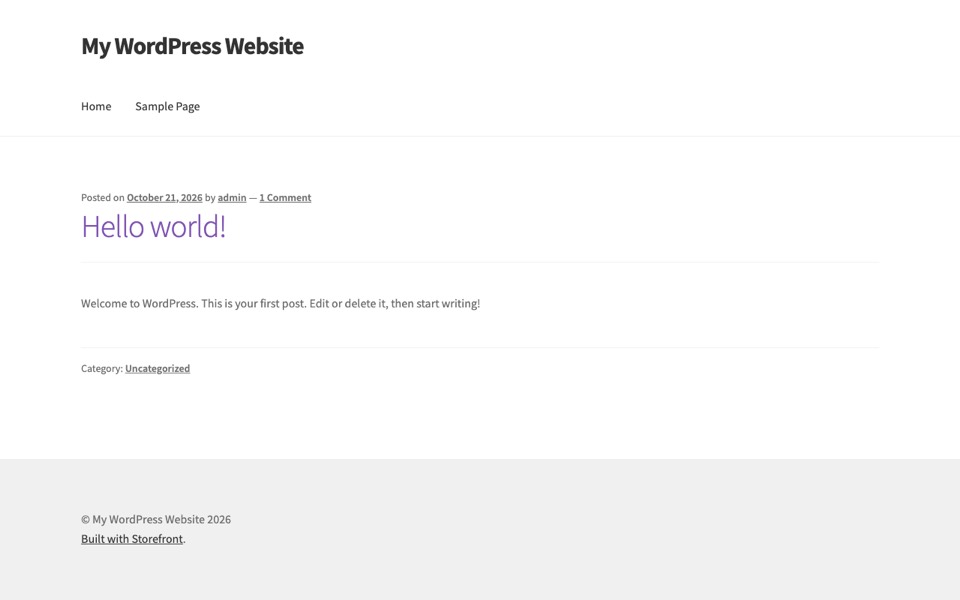
The official WooCommerce theme. Building a store? It's a clean, reliable, deeply integrated starting point, made by the WooCommerce team.
Storefront out of the box on our test site, no settings changed.
Our test (WordPress 7.1.3): 15 requests and 295 KB on a fresh homepage, with 177 KB of CSS and 25 KB of JavaScript plus 58 KB of fonts. That's with no setup at all. Storefront on WordPress.org: version 4.6.2, 90,000+ active installs, rated 4.5 out of 5, last updated December 2025, needs PHP 5.6.0 or newer.
17. Twenty Twenty-Four
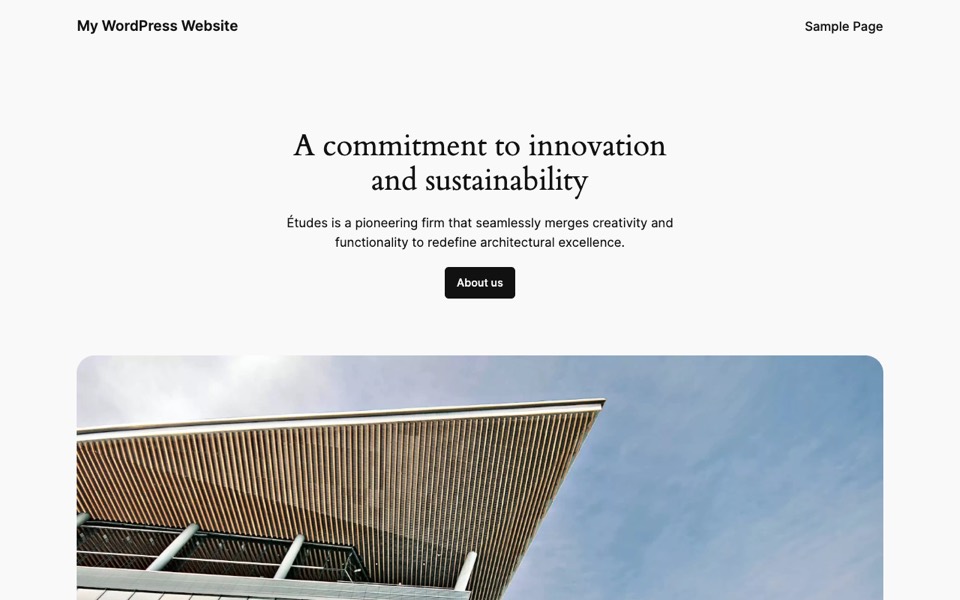
The 2024 WordPress default, built for the block editor and full site editing. It's free and flexible, but about half its weight in our test came from bundled fonts.
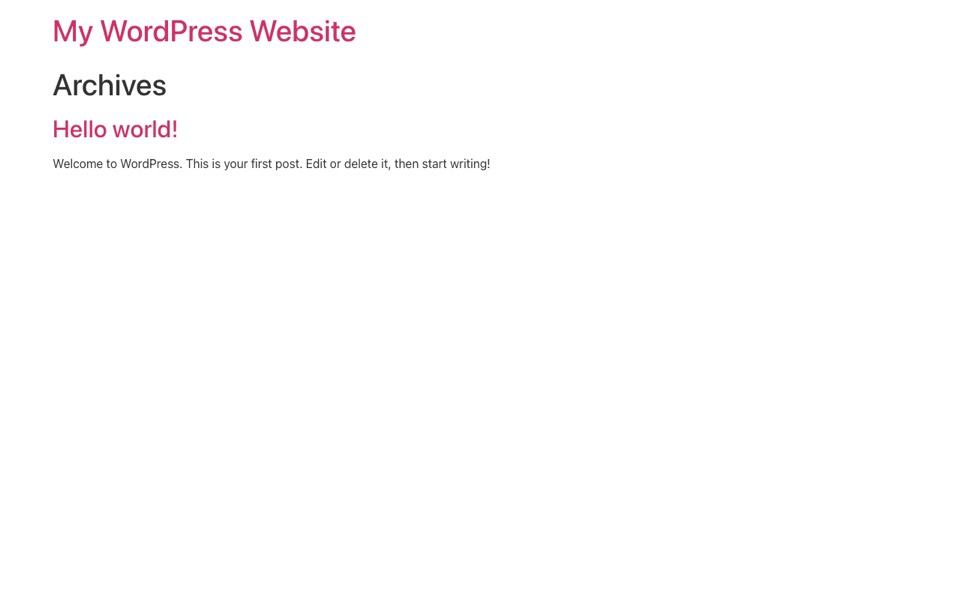
Twenty Twenty-Four out of the box on our test site, no settings changed.
Our test (WordPress 7.1.3): 15 requests and 1,123 KB on a fresh homepage, with 20 KB of CSS and 64 KB of JavaScript plus 564 KB of fonts. That's with no setup at all. Twenty Twenty-Four on WordPress.org: version 1.6, 500,000+ active installs, rated 3.8 out of 5, last updated August 2026, needs PHP 7.0 or newer.
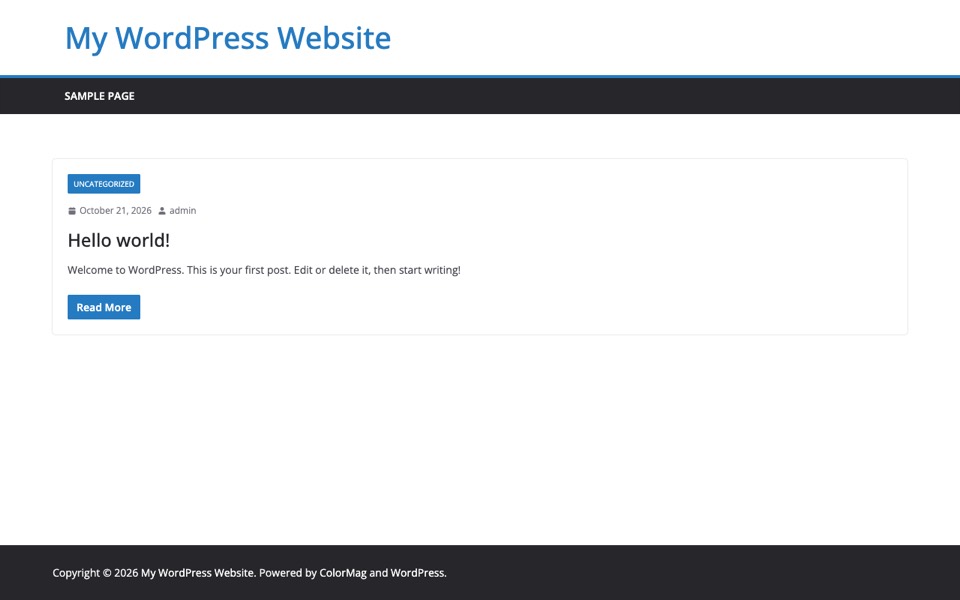
18. ColorMag
A magazine and news theme with a grid layout and ad ready spots. It's a good fit for content heavy sites, and our test shows it's also one of the heavier ones.
ColorMag out of the box on our test site, no settings changed.
Our test (WordPress 7.1.3): 20 requests and 698 KB on a fresh homepage, with 262 KB of CSS and 163 KB of JavaScript plus 235 KB of fonts. That's with no setup at all. ColorMag on WordPress.org: version 4.2.5, 40,000+ active installs, rated 4.9 out of 5, last updated September 2026, needs PHP 7.4 or newer.
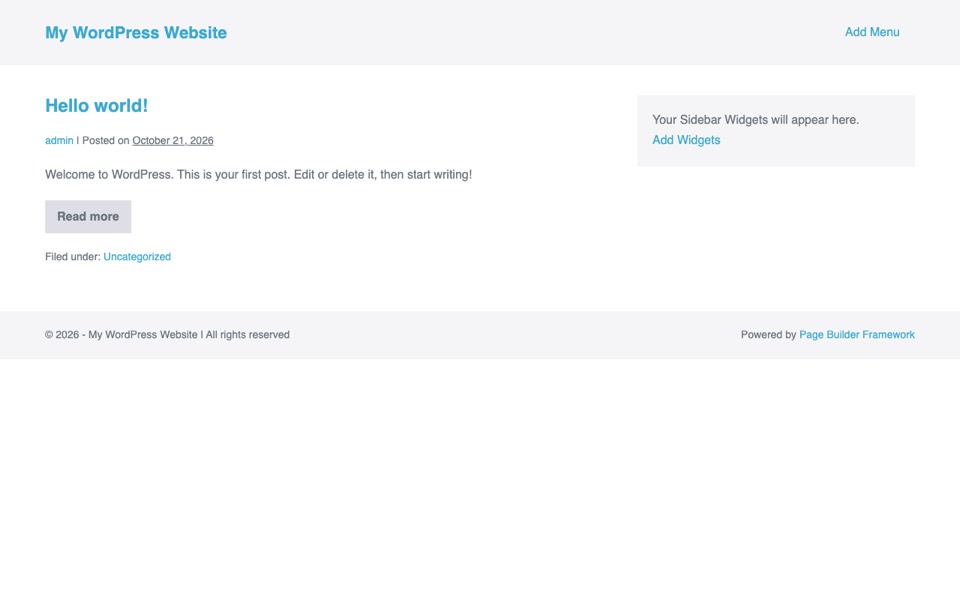
19. Page Builder Framework
A light theme designed to pair with page builders, keeping the base clean and fast while you design in the builder. It was one of the leanest in our test.
Page Builder Framework out of the box on our test site, no settings changed.
Our test (WordPress 7.1.3): 10 requests and 108 KB on a fresh homepage, with 42 KB of CSS and 36 KB of JavaScript. That's with no setup at all. Page Builder Framework on WordPress.org: version 2.11.10, 10,000+ active installs, rated 4.9 out of 5, last updated April 2026, needs PHP 5.6 or newer.
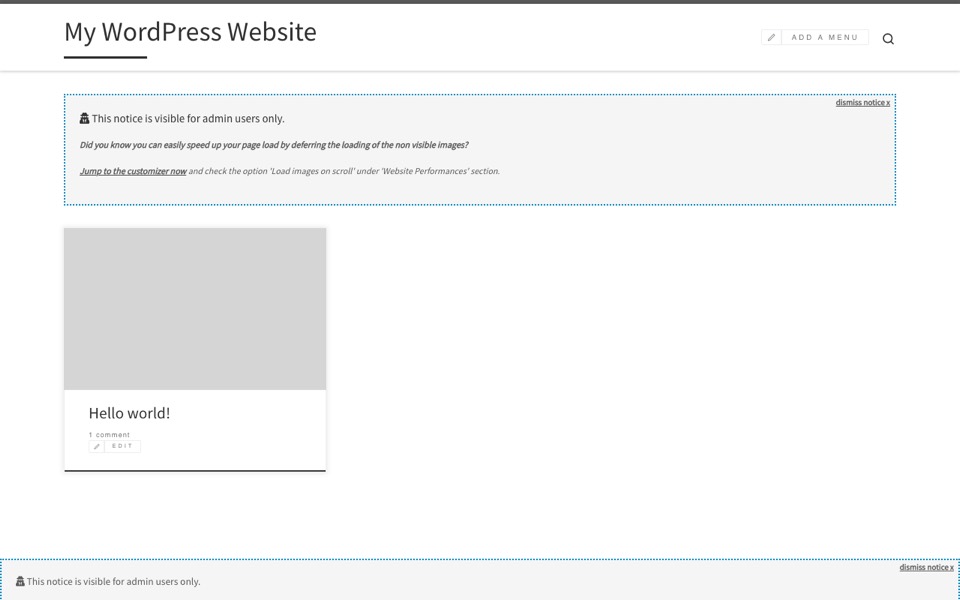
20. Customizr
A long standing, beginner friendly theme with a simple customizer. It still works, but it hasn't been updated in over a year, so we'd pick something newer for a new site.
Customizr out of the box on our test site, no settings changed.
Our test (WordPress 7.1.3): 22 requests and 675 KB on a fresh homepage, with 248 KB of CSS and 290 KB of JavaScript plus 97 KB of fonts. That's with no setup at all. Customizr on WordPress.org: version 4.4.24, 30,000+ active installs, rated 4.8 out of 5, last updated December 2024, needs PHP 5.3 or newer. Heads up: it hasn't been updated since December 2024. It installed and ran on WordPress 7.1.3 in our test, but an unmaintained theme stops getting security and compatibility fixes.
We tested every free theme on this list
How heavy is each theme before you add anything? On 21 October 2026 we installed every free theme here on a fresh WordPress 7.1.3 site, activated each one and loaded the default homepage with the admin toolbar turned off. The lightest was Hello Elementor at 66 KB, the heaviest Twenty Twenty-Four at 1,123 KB. Customizr hasn't been updated in over a year, which matters more than a few kilobytes.
Sizes are uncompressed and cover HTML, CSS, JavaScript and fonts on the default sample post, with no plugins. Our test site keeps you logged in, so we turned the toolbar off; a logged out visitor may get a few kilobytes less. A real site with images and plugins weighs more. Directory data from WordPress.org on 21 October 2026. Full method in our editorial policy. For compressed sizes, single posts and render-blocking files on 10 identical posts, see our fastest WordPress themes test.
What do these numbers mean for you? A theme's own weight is the floor your site starts from. Images, extra fonts and plugins usually weigh far more, so a 100 KB gap between two themes matters less than one unoptimized photo. Should you just pick the lightest one, then? Not automatically. Hello Elementor is light because it does almost nothing on its own, which suits a page builder and not much else. Check the update date first: a theme that hasn't been updated in over a year is a bigger risk than an extra 200 KB. Twenty Twenty-Four owes about half of its weight to bundled fonts: 564 KB of them load even on a single sample post.
Quick comparison
Need the short version? Here's how all twenty compare. Which ones did we leave out of the speed test? Only the five premium themes, since we can't install them from WordPress.org.
Theme
Type
Best for
Astra
Free
An easy all-round start
GeneratePress
Free
Speed and clean code
Neve
Free
Fast, builder-ready sites
Kadence
Free
Header and design control
Hello Elementor
Free
An Elementor base
Divi
Premium
All-in-one builder
Avada
Premium
Prebuilt complex sites
Storefront
Free
WooCommerce stores
Twenty Twenty-Four
Free
Full-site editing
ColorMag
Free
News and magazine sites
How to choose
So which one should you pick? Beginners are usually best served by a fast, free theme with starter templates, such as Astra, Neve, or GeneratePress. If you want to design everything visually, pair a lightweight theme with a builder and check our best free Elementor themes. Reach for a premium multipurpose theme like Divi or Avada only when you need its specific prebuilt sites or features. Whatever you pick, test your homepage speed after setup and avoid loading options you'll not use. Then follow our guide on how to install a WordPress theme.
Find your next WordPress theme
We test themes for speed, flexibility, and design so you can pick with confidence.
Astra, OceanWP, and Neve are great starting points. They are free, fast, well documented, and come with starter templates you can import and edit without code.
Should beginners use a free or premium theme?
Start with a free theme like Astra or GeneratePress. Their free versions are capable enough for most sites. Upgrade to premium only when you need a specific advanced feature.
Are multipurpose themes good for beginners?
They can be, but they add many options that beginners may not need. A lightweight theme plus a page builder is often easier to learn than a heavy multipurpose theme like Divi or Avada.
Can I change my WordPress theme later?
Yes. Your posts, pages, and media stay in place when you switch themes. Only the design changes, though you may need to reset menus, widgets, and theme-specific settings.