Niso Carousel Slider: Setup Guide and Hands-On Test (2026)

Niso Carousel Slider is a free WordPress plugin for image, caption and video carousels. Looking for the old "Niso carousel" documentation? It now ships inside the plugin itself, in its doc folder. This page is our own hands-on guide: we installed version 1.3.22 on WordPress 7.1.4 on 29 October 2026, built a carousel, and checked what it costs your pages.
- Tested: Niso Carousel Slider 1.3.22 on WordPress 7.1.4
- 200+ active installs, rated 4/5 (4 ratings)
- Last updated June 2026, by Noor Alam
On this page
How to create a carousel
- Install Niso Carousel Slider from Plugins → Add Plugin and activate it.
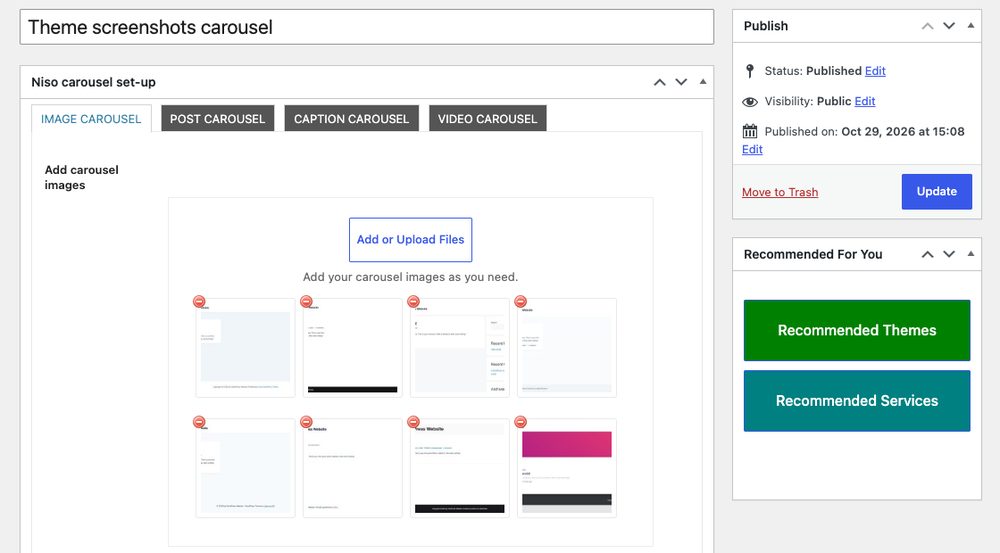
- Open niso carousel → Add New carousel and name it.
- In the Image carousel tab, click Add or Upload Files and pick your images. The other tabs are Post carousel, Caption carousel and Video carousel, and you'll fill in only the one you're using.
- Scroll down to Carousel settings and adjust what you need (see below).
- Publish, copy the shortcode, for example
[ncarousel id="30"], and paste it into a Shortcode block.
The settings worth changing
There are more than 40 options, which is either great or overwhelming. Which ones matter? These are the ones we'd look at first:
- Images show large screen / medium screen / in tab: how many slides are visible at each screen size. Get these right and it'll look intentional on phones.
- Carousel auto play and Auto play speed: autoplay's fine for logos, less so for anything people need to read.
- Carousel navigation and Carousel dots: arrows and dots. You'll find icon, color and position options for both.
- Carousel center mode and Infinite loop for the "peek at the next slide" look.
- Lazy load: worth switching on if your images are large, and it won't change how the carousel looks.
- Carousel image Lightbox: opens slides in a Nivo lightbox when they're clicked.
What it looks like
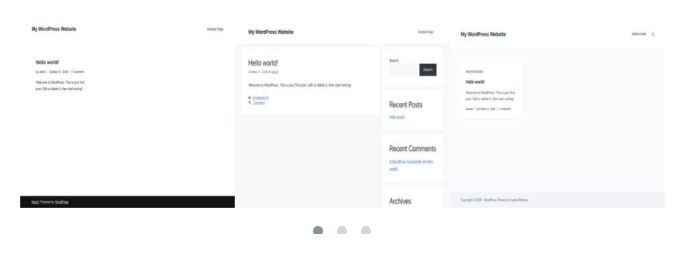
With default settings our carousel showed three slides at a time with dots underneath. Mouse drag, touch drag and mousewheel scrolling each have their own switch in the settings.
What it loads on every page
Like many older plugins, Niso doesn't check whether a page actually contains a carousel. On our About page, with no carousel, it still loaded:
| Loaded on every page | Files | Size after gzip |
|---|---|---|
| Stylesheets (Owl Carousel, themes, Animate.css, Nivo lightbox, icon font CSS) | 7 | about 10 KB |
| Scripts (Owl Carousel, Nivo lightbox, mousewheel) | 3 | about 14 KB |
| jQuery, enqueued by the plugin | 2 | loaded if your theme doesn't already |
All seven stylesheets block the first render. The carousel itself runs on Owl Carousel 2, a jQuery library whose last release, 2.3.4, came out in 2018. It still works, but it isn't what new projects usually pick. If your theme doesn't use jQuery, this plugin brings it back on every page.
The admin notices
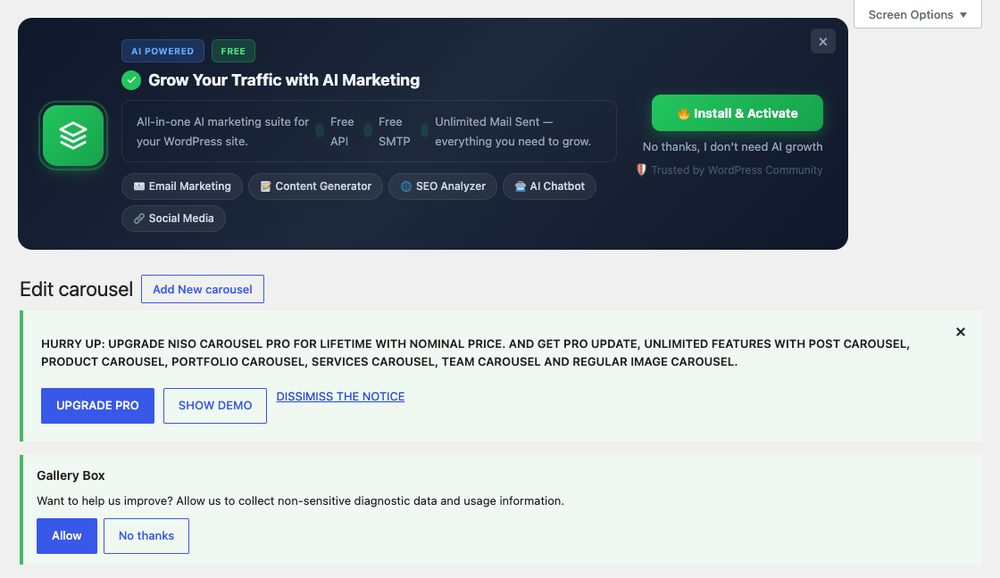
After activation, wp-admin gets busy, and you'll notice it straight away. Niso adds a large dark banner promoting AI Marketing Expert, another plugin from the same author, with an Install & Activate button, plus an all-caps "Hurry up: upgrade Niso Carousel Pro" notice. We saw both on the Dashboard and on Settings, not just on the plugin's own screens. To be fair: unlike Gallery Box, which installs that plugin on its own, Niso only installs it if you click the button, and both notices can be dismissed.
Should you use it?
If you want a configurable image or video carousel without a page builder and you don't mind jQuery, Niso does the job, and you won't run short of options. If you care about page weight, or you only need a carousel on one page, you'd be better off with something that loads its files only where a carousel appears. Building with Elementor? Its own carousel widget, covered in our image carousel guide, avoids a second slider library on top.
A note on this address: gallery and carousel demos for these plugins used to live on wpteamx.com subdomains when the domain belonged to its previous owner. We bought the domain in 2026, we didn't make these plugins, and this page is our own independent test. Our about page has the full history.